Release Highlights 2025H2
Outfitting / 3D Plant Design
Piping specs automatically from Cadmatic Materials
Piping specifications from Cadmatic Materials now flow directly into Plant Design and Outfitting. Pipes, valves, fittings, and fasteners are transferred automatically based on pipeline properties – removing the need to set up specs manually and ensuring consistency across your design tools.
Advanced access control for smoother collaboration
The new Content Categories feature allows project administrators to retain full access control over sensitive project data. With clear content categories, the administrator can decide who sees what in the 3D model by restricting visibility based on COS-level user roles. Thus, distinct user groups such as subcontractors or parallel design teams can work in the same project space without exposing their designs to each other.

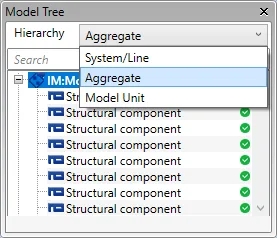
Flexible model tree hierarchies
The Model Tree now supports multiple hierarchy types. Depending on the workflow, the user can arrange the objects based on their membership in a group, such as a Hull Work Breakdown Structure, a document or main document group, or some custom grouping across multiple levels.
Model query object previews
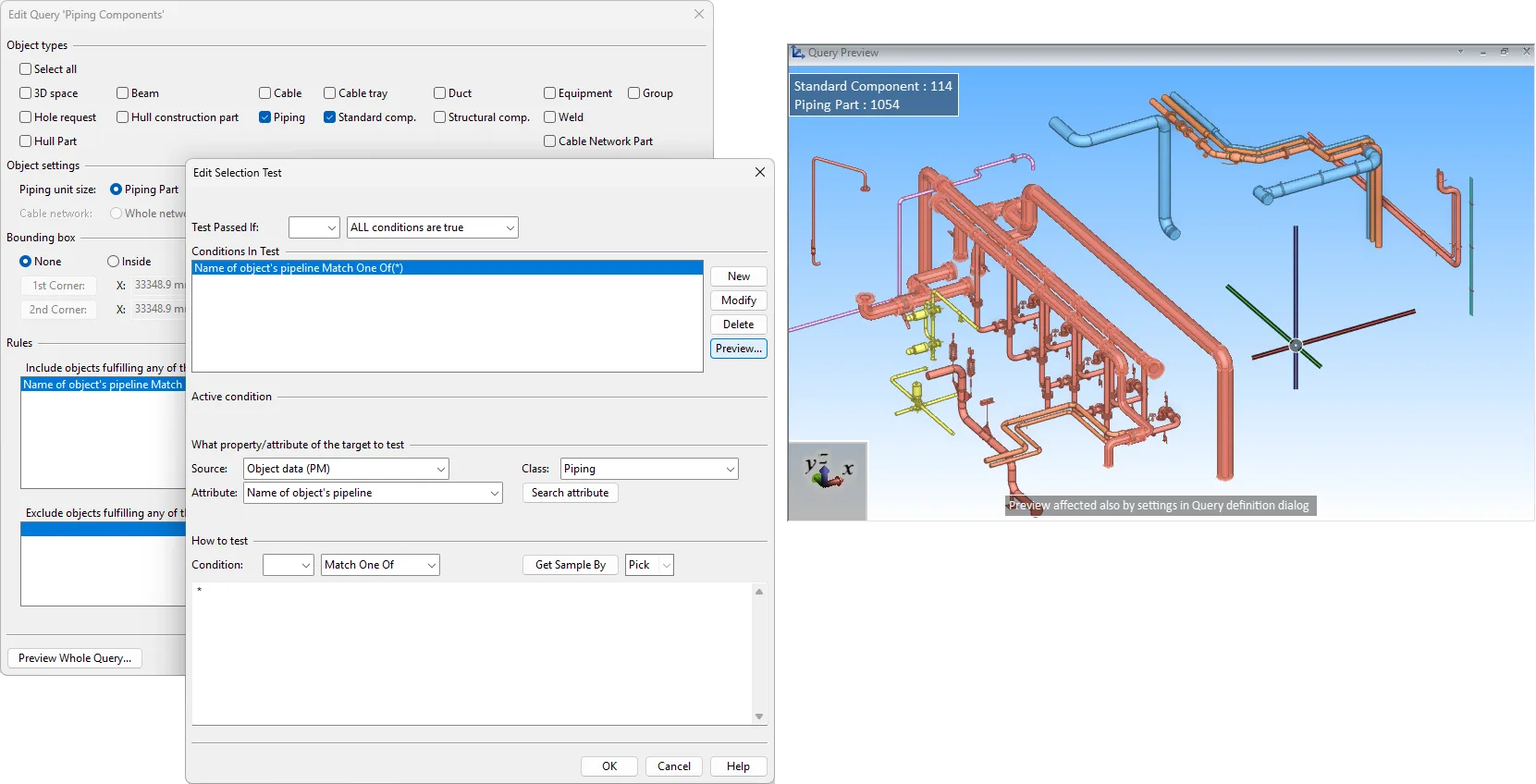
Easier creation of model queries: the query editor and selection test editor dialogs now include a preview function that displays objects selected by the entire query or by an individual selection test.
Automatic layout drawing production improvements
Grid lines can now be added to axonometric views, and automatic labeling is improved to place labels more accurately to the sides of drawings and to auto-rotate them to match axis directions. Automatic dimensioning, previously available only for piping, is extended to air ducts and cable trays, and works with the same objects as automatic labeling.
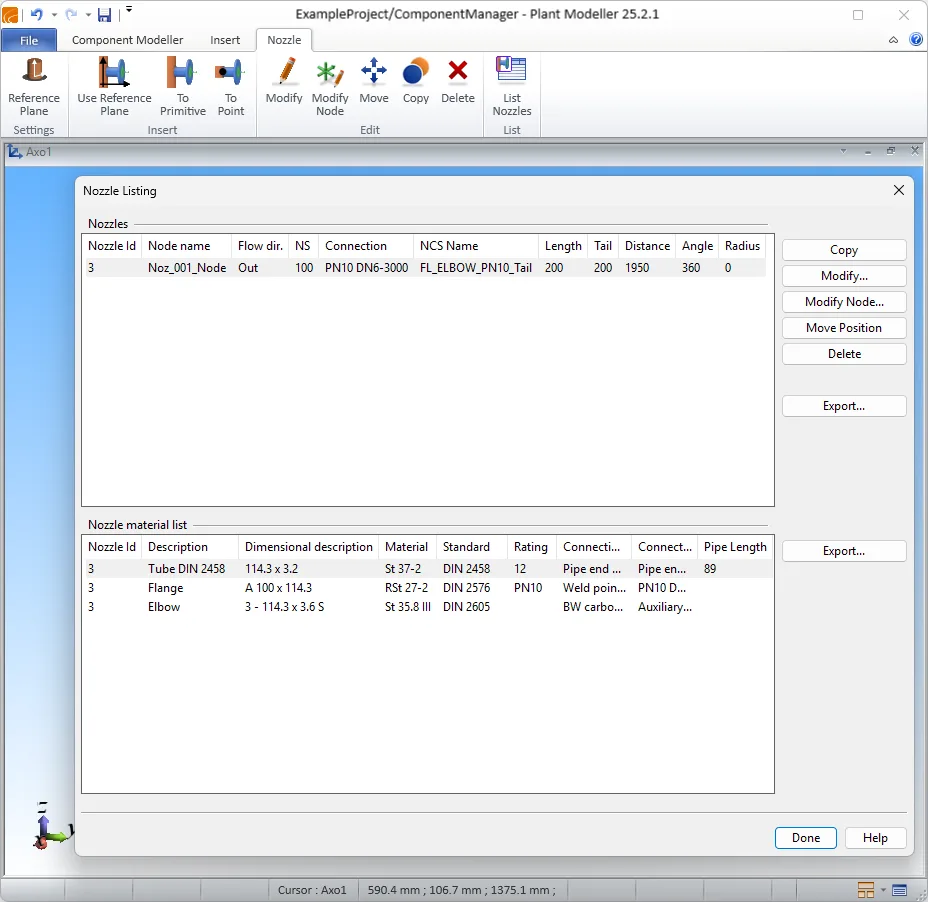
Improved nozzle management tool
Improved usability for inserting and managing nozzles in the Component Manager application.
P&ID
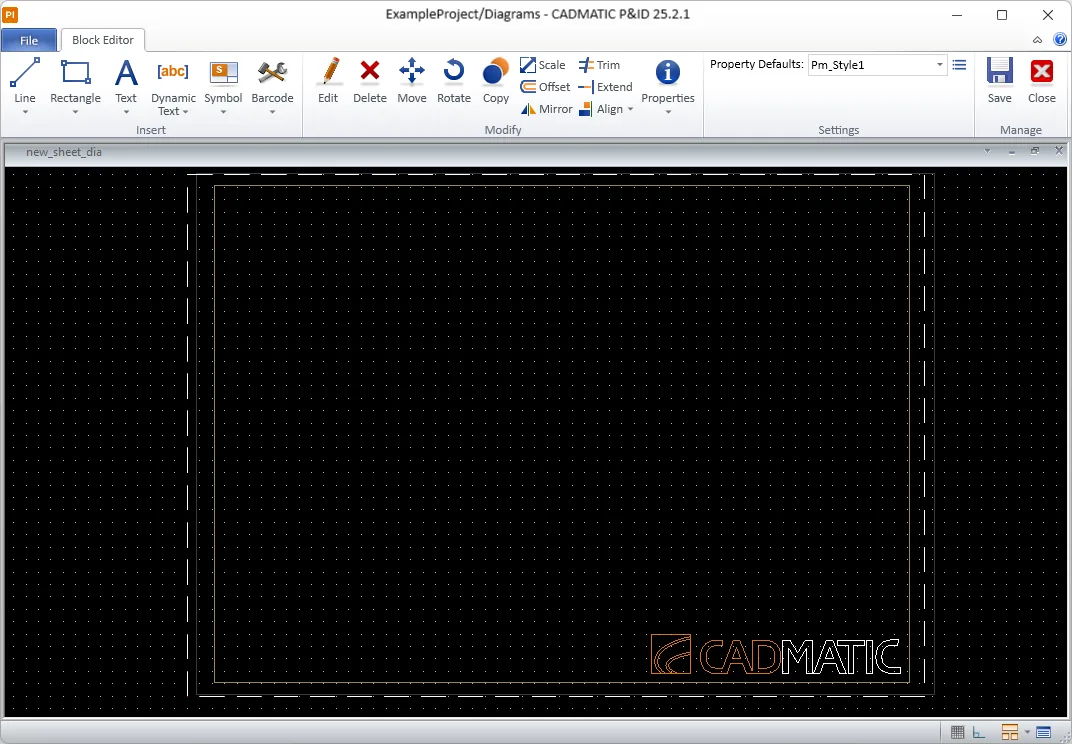
DWG drawing sheets
The same easy-to-use editor used for Plant/Outfitting drawings can now also be used to design diagram sheets. You can create revision tables as DWG entities, include images and barcodes in sheet designs, and use data requests to export project and diagram COS attributes as block attributes.
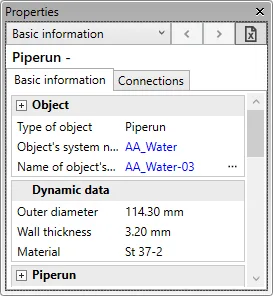
Pipeline data available dynamically by changing the specification
The property pane displays dynamic pipe data: outer diameter, wall thickness, and material. This data usually comes from the pipeline, but if individual pipe parts use a different specification or size, it is updated accordingly. Dynamic data can be utilized in labels and listings.
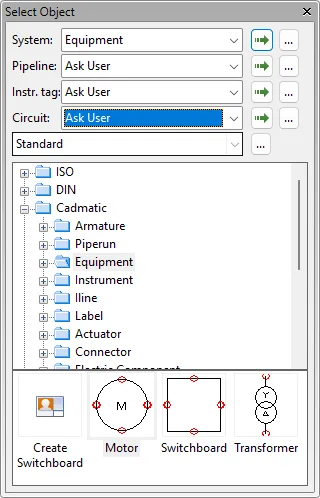
Object template pane improvements
Commands for assigning systems or lines to new or existing diagram objects are now available in the object template pane, making them always accessible. You can also change the assignment mode, such as ‘ask user’, at any time because it is no longer controlled by a shared project setting.
Hull
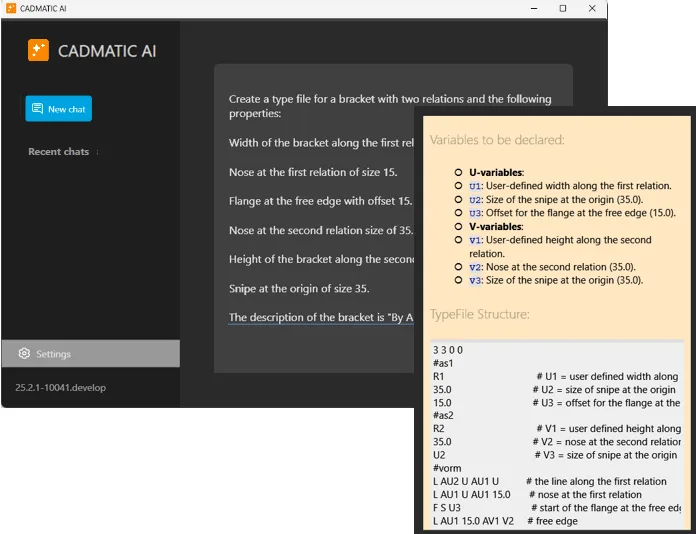
AI-assisted bracket type creation
Cadmatic AI has been improved and integrated into the Hull software. You can launch it directly from the 3D-Contek and System Management applications and define or refine bracket geometry.
When started from System Management, Hull administrators can save the AI-generated bracket type directly to the project norms. Once saved, the AI-generated bracket type is ready to be used when 3D-Contek is restarted.
Whether creating new bracket types or editing existing ones, the embedded assistant streamlines the entire process.
Controlled plate thickness selection by material
Hull Administrators can define in System Management which thicknesses can be used for each material type when users create plates or shell plates, or when users modify plate or shell plate properties.
Instead of manually entering values, users select from a dropdown of approved thicknesses, which speeds up plate creation and reduces the risk of errors in the model.
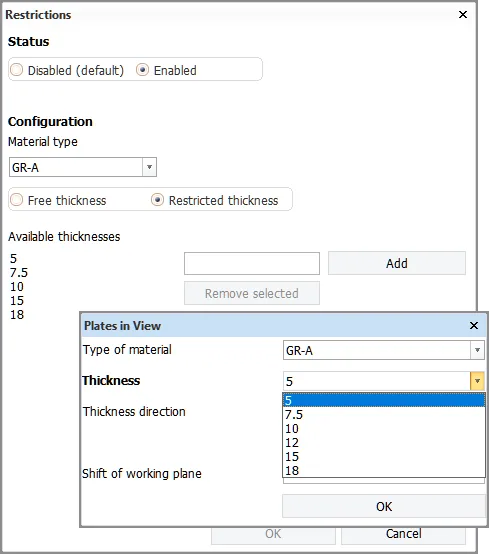
This feature is disabled by default.
Simpler licensing for Cadmatic Hull
The Hull Basic Design seat and Hull Detail Design seat licenses have been merged into one single Hull Structural Design seat license.
The new Hull Structural Design seat license includes the HiLTop (High Level Topology) and Production Information functionalities. This makes it easy to use Cadmatic Hull across all stages of ship design – from concept to production – without needing to choose between license types.
To update your licenses, open the Cadmatic License Management Console’s License Manager, and select Get or renew license.
Information Management
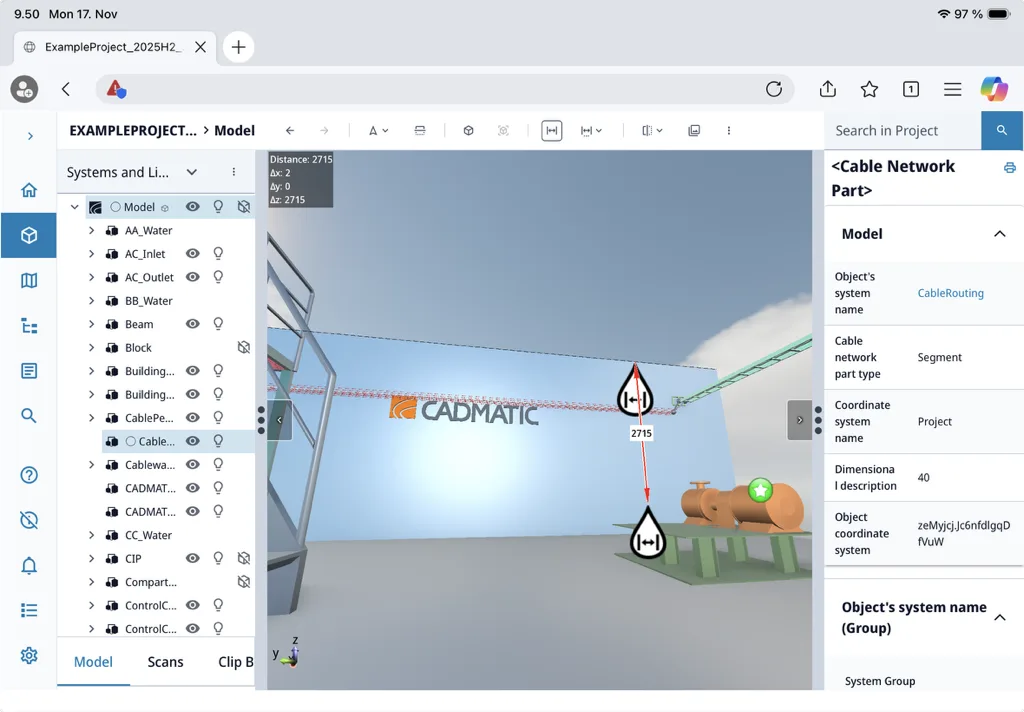
eShare on iPad
iPad support makes it easier to work across platforms and access project data wherever you are—whether in the office, on-site, or on the move. You can view and manage project information, update statuses, add markups and measurements, assign tasks, and perform checks directly in eShare. As long as you have an internet connection, eShare is available anywhere.
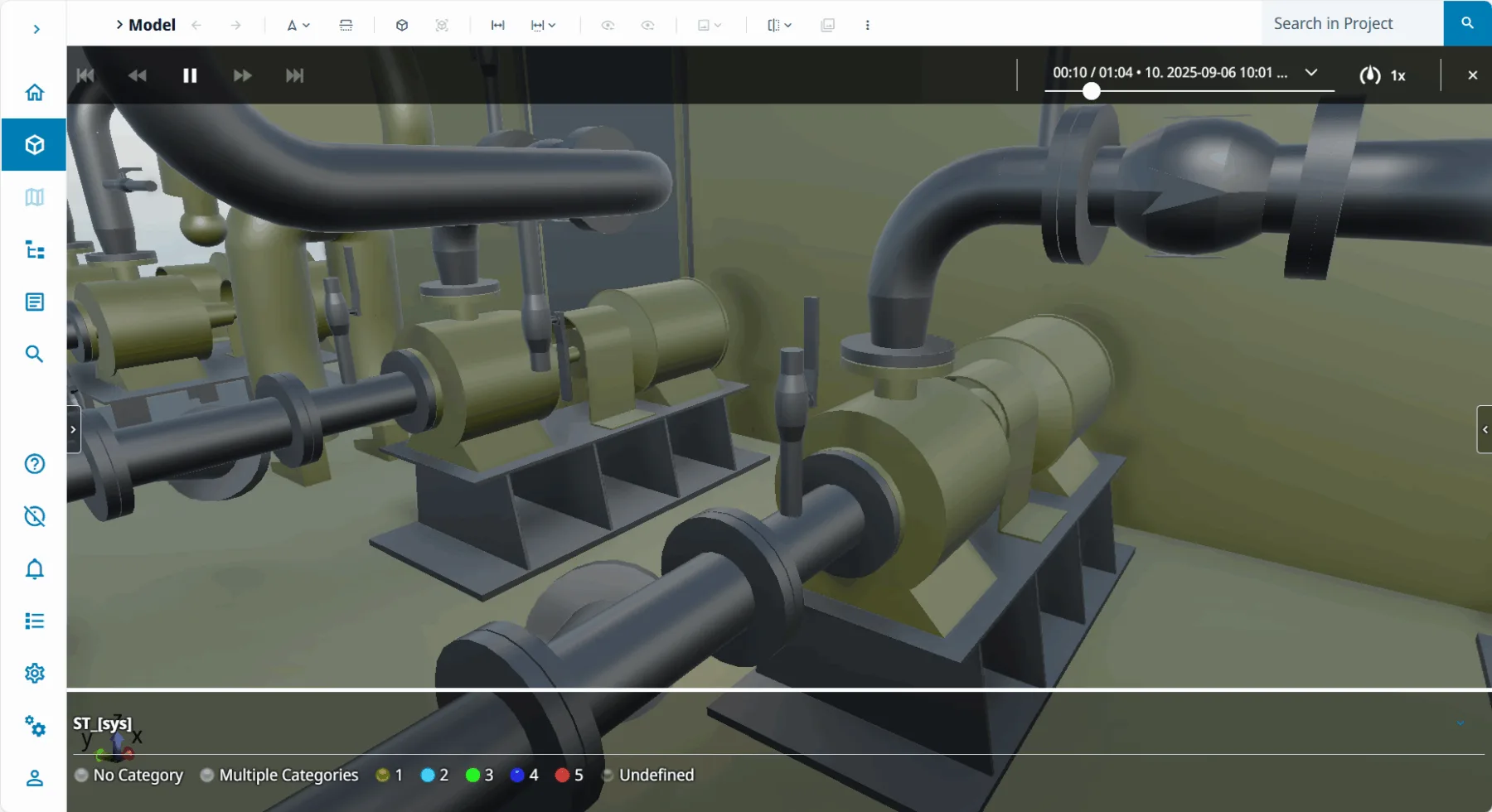
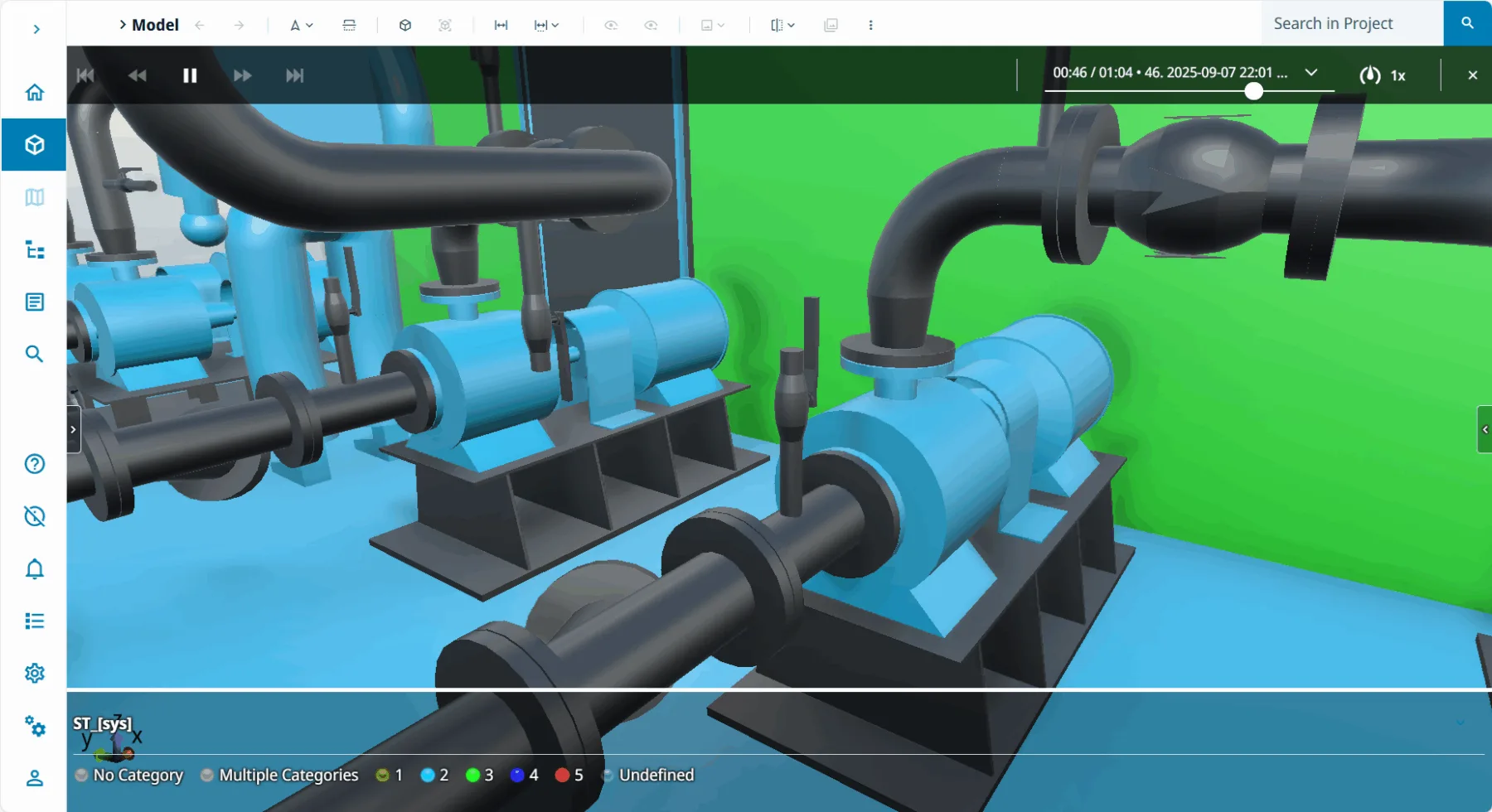
4D sequencing and textured meshes in your browser
4D sequencing is now available in browser-based eShare. Visualize object status changes over time directly in the model and track progress through smooth animations. Simply configure a 4D sequence data source or use status tracking as input. This makes every stage visible, helping teams monitor progress and stay aligned without a complex setup.
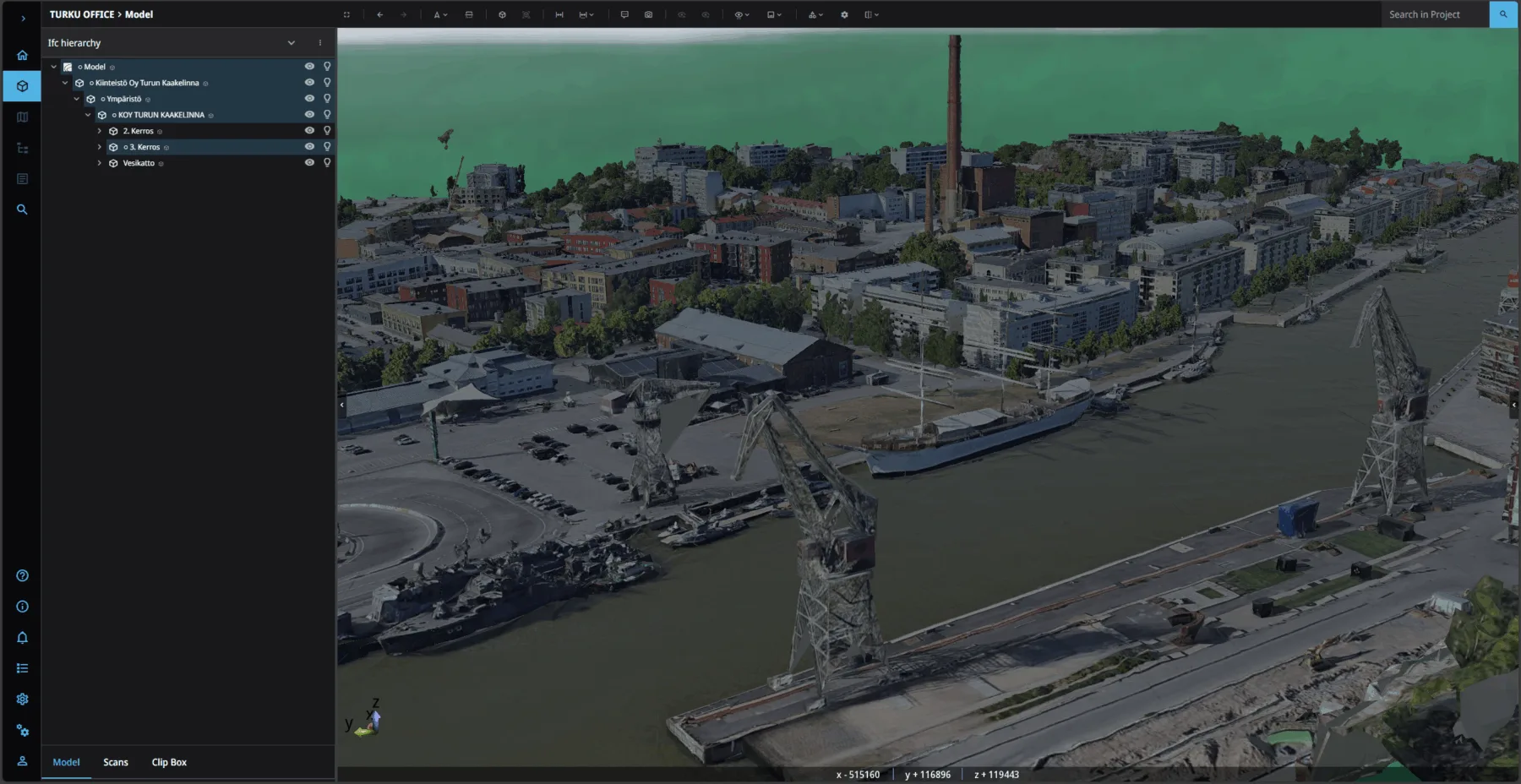
Textured meshes are also supported in browser eShare. Project administrators can upload textured meshes to eShare projects, and they can be viewed in both eShare and eShare App. Unlike point clouds, textured meshes are traditional 3D objects that represent the same data but generally offer better performance and a more visually detailed view. They are not limited to scanner positions, which allows for flexible use cases such as displaying exterior scans captured by drones.
Electrical
Languages and translations
We have transformed the way we handle languages and translations in the application. A technical upgrade in the background enables support for multiple new languages that are now available in the application.
Due to a new translation management tool, it is now possible to add translations to the database and then easily share them with other projects and users.

Translations can be edited in Excel, in addition to which the earlier Excel translation functions can still be used. The new languages are available in the translation tools as well and can be used, for example, with reports and saving customer drawings.
These improvements make collaborating with clients and colleagues in different languages easier and more efficient.
Storey boundaries
Storey elevations defined in storey settings are used in elevation markings, IFC export, integrations, and other functions in arrangement drawings. Until now, each drawing has only been allowed to include one strorey – now, it is possible to define storey boundaries to include multiple stories in one document, reducing the number of documents needed.
The user defines the location of the storey boundary origo which defines the offset to real coordinates, and ensures that cable calculations, wiring, IFC export, and other functions work seamlessly with storey boundaries. This gives the designers more flexibility regarding project documentation!
Cable IFC export
The long-awaited cable IFC export is now available! Users can export cables that need to be included in the IFC file.
Cable types and individual cables include a new setting, which determines whether they are exported to the IFC file. Cable types provide a default value for this setting when they are drawn in a document, but users can adjust the setting for individual cables afterwards. If all cables need to be exported, users can also select to always export everything regardless of the setting.
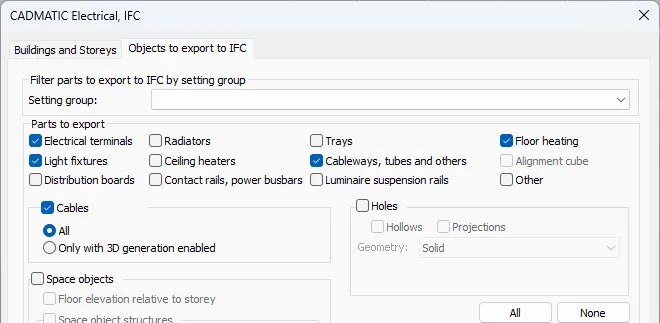
Additionally, there is now support for creating custom property sets for cables, allowing users to include any cable data they wish in the generated IFC file!
Product models
Product models were majorly enhanced in the 2025H1 release. Further improvements have now been made, making both management and usage of product models more flexible than ever.
In product model management, you can see the number of each product model in the current project as well as the product model symbol directly in the grid. Additionally, you can now use this dialog to insert product model devices into the document one by one or using the other insertion methods.

On the drawing side, you can now create new product models based on existing devices without inserting them. Furthermore, with the DB tool you can also easily create product models from existing devices.
The product model tree has also been updated to display and update the number of product model devices in the active document and in the whole project, making it effortless to check everything is in order.
Also, product model pins can conveniently be created in product model properties by copying an existing pin and defining the number of new pins. It is recommended to use Excel for editing the pin values when there is a large mass of new pins.
Regarding Layout, special symbols (such as scalable and radiator symbols) have been added to be used with product models. The data defined will be saved as product model properties.
New rasters for cableways
Some new visuals requested by our users have been added for cableway 2D and riser selection. Users now have more options to represent different types of cableways and choose visuals that best fit their design. Additionally, the cableway type no longer filters 2D rasters, meaning all rasters are now always available.
DIALux evo integration improvements
We have addressed the inquiries from our integration users to better support DIALux evo exports and imports: Now, after exporting spaces to DIALux and designing and calculating the required illumination there, reimporting light fixtures only creates new product models when required, i.e. when the product code has changed in DIALux. For some special symbols, the insertion point for 3D was suboptimal but now the deduction of the location has been considerably improved.
Cable package improvements
The cable packages have been improved by adding the option to edit the entire package length in cable package properties and by displaying all individual cable lengths if they differ within the package. Additionally, the calculation method can now be selected for the cable packages, and it is considered in electrotechnical calculations. Editing the package length will update all cables in the package automatically, so manual updates are no longer required!
Product model creation with AI (BETA)
AI (artificial intelligence) is entering Electrical! Users can efficiently create products by asking AI to search for a specific product or product type. AI will then list the relevant options, and the users can select which ones to add to the Electrical product model library. In addition, data is automatically populated for the created products, reducing manual work. This feature leverages chatbot technology, allowing users to give prompt-based instructions that AI uses to suggest products or request additional details when needed.
The AI feature will be available to selected customers who are Cadmatic Electrical Premium users with experience in product models and related features. If you are interested in joining the test group, please contact our customer support at [email protected] and tell us what industry projects are being designed with Electrical. Also include a short description of your product model use and the amount of data included in the product models.
We will review all volunteers and provide instructions to the users who are selected. If we receive a large number of requests, we may need to limit the number of test participants. Selected users will receive guidance on how to enable the feature and instructions on how it works.
This feature is in the BETA stage, and significant improvements will be made based on user feedback. Stay tuned for the next release to experience even more enhanced AI capabilities!
Draw
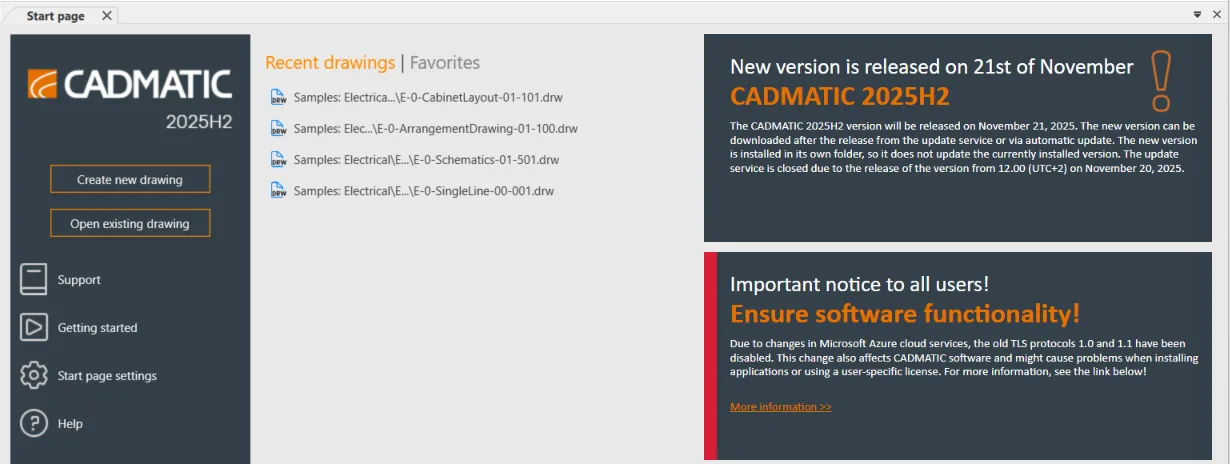
New Start page experience
The Start Page has been redesigned. The update brings improved scalability for higher-resolution displays as well as entirely new features. The list of recently used files now shows a preview of image files and their metadata. A completely new feature is the Favorites tab, where the user can pin frequently used files or folders.