Oil & Gas

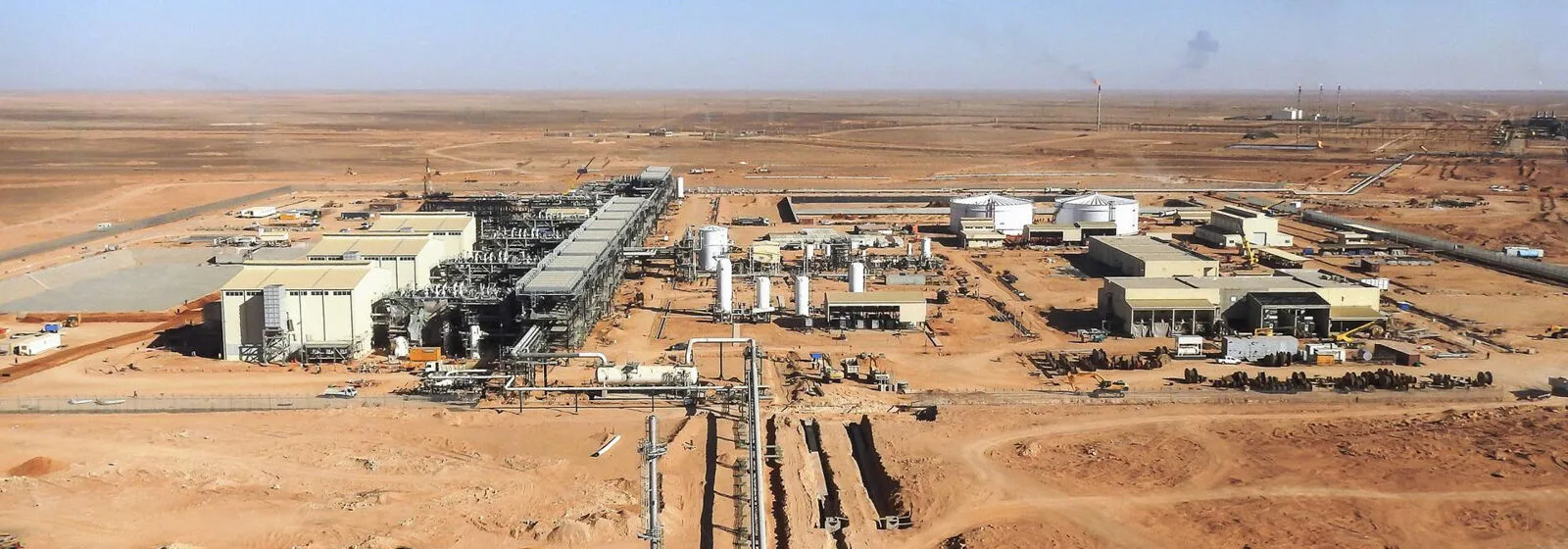
Oil and gas projects lose information every time data changes hands
A typical project passes through several EPCs, a construction contractor and finally your operations team. Every handover is a chance for drawings, tags and as-built changes to drift away from the real plant. Cadmatic keeps design, project and asset data in one connected environment, so the plant you build is the plant you can maintain.
-
A digital twin that’s ready at handover
-
Several EPCs working in one version of the plant
-
Engineering data that stays yours
Challenges we help you solve
-
Operations gets a working digital twin at handover
The models and documents you collect during the project become your digital twin in Cadmatic eShare. No data migration after commissioning.
-
Several contractors, one version of the plant
Work sharing in Cadmatic 3D Plant Design lets several EPCs model the same plant. You always see who changed what.
-
Track megaproject progress in the 3D model
Cadmatic Projects links your Primavera P6 schedule to the model. CCC uses it on Aramco’s ZULUF oil facilities.
-
Catch piping errors before fabrication
Clashes and isometrics are handled while you model. Enpro now produces isometrics in one day instead of five.
-
Maintenance starts from current data
Click any object in the 3D model to open its documents and tag data in eShare.
-
Your plant data stays yours
Hold the plant model yourself and invite contractors in. Host on-premises, in a private cloud or both.


Products for Oil & Gas
See all products
Give your operations team one visual digital twin, with documents and tag data linked to the 3D model from day one after handover.
Hold the plant model yourself and invite your contractors to work in it, so the design data stays with you after every project.
Follow your contractors’ progress against the schedule in the 3D model and see delays before they cost you.
Frequently asked questions
What happens to my data after project handover?
Cadmatic ensures that your engineering data doesn’t disappear into folders or PDFs after handover. With tools like Cadmatic eShare, you can access all design models, documents, and asset data in one connected platform. It provides a visual digital twin that lets you search, navigate, and use the data throughout operations—whether for maintenance planning, inspections, or audits. Your information stays structured, traceable, and usable long after commissioning.
Can several EPCs work on the same plant model?
Yes. 3D Plant Design supports work sharing across companies and sites, and eShare gives the owner one view of every contractor’s progress.
Can we bring in models from AVEVA, Hexagon or Bentley tools?
Cadmatic imports common formats from these tools and others, including point clouds. Talk to us about your specific files.
Can we host Cadmatic on-premises or in the cloud?
Choose on-premises, private cloud or a hybrid setup to meet your IT and data security requirements.
Does Cadmatic connect with Primavera P6 and SAP?
Cadmatic Projects integrates with Primavera P6 schedules. Customers such as Enpro also map SAP codes to Cadmatic library components to speed up BOM creation.
Ready to get started?
Companies working smarter with Cadmatic

Boost productivity, reduce errors and win more projects by delivering high-quality ship and plant designs faster.

Gain full control of complex project data, ensure smoother collaboration, faster handovers, and on-time delivery.

Make smarter and faster decisions across your asset lifecycle thanks to accurate digital plant data and visual insights.