Your AI assistant for electrical design is here
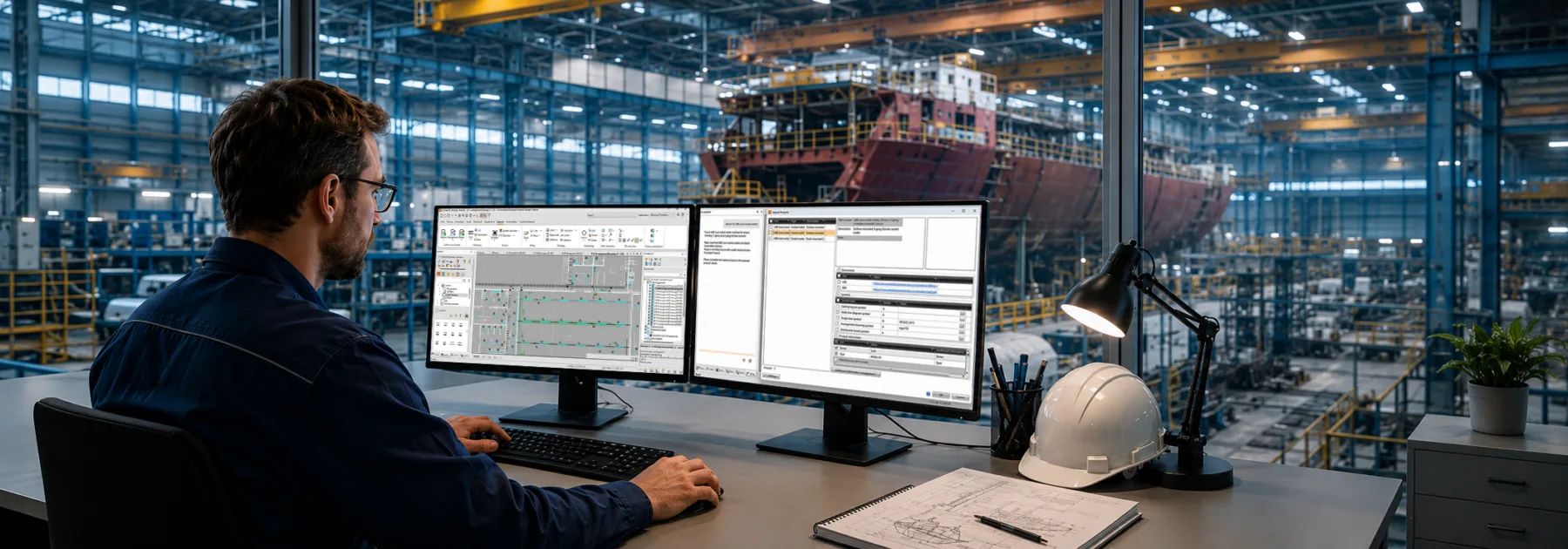
Adding a new component to a project used to start with a search, and not the quick kind. You’d pull up the manufacturer’s website, scan through the datasheet, copy specifications into your design software one field at a time, decide which symbol to assign, then validate everything you’d entered. For a single product, that might take fifteen minutes. For a list of components on a new project, it could eat most of your morning.
Translation was no faster. If your project documentation needed to work in multiple languages, you were either paying for a translation service or doing it yourself, term by term, with no guarantee that the electrical terminology would land correctly in the target language.
Cadmatic Electrical 2026H1 is a gamechanger for both of those workflows with two new AI assistant tools available across the subscription and COL licensing models.
Building your product library just got up to 50% faster
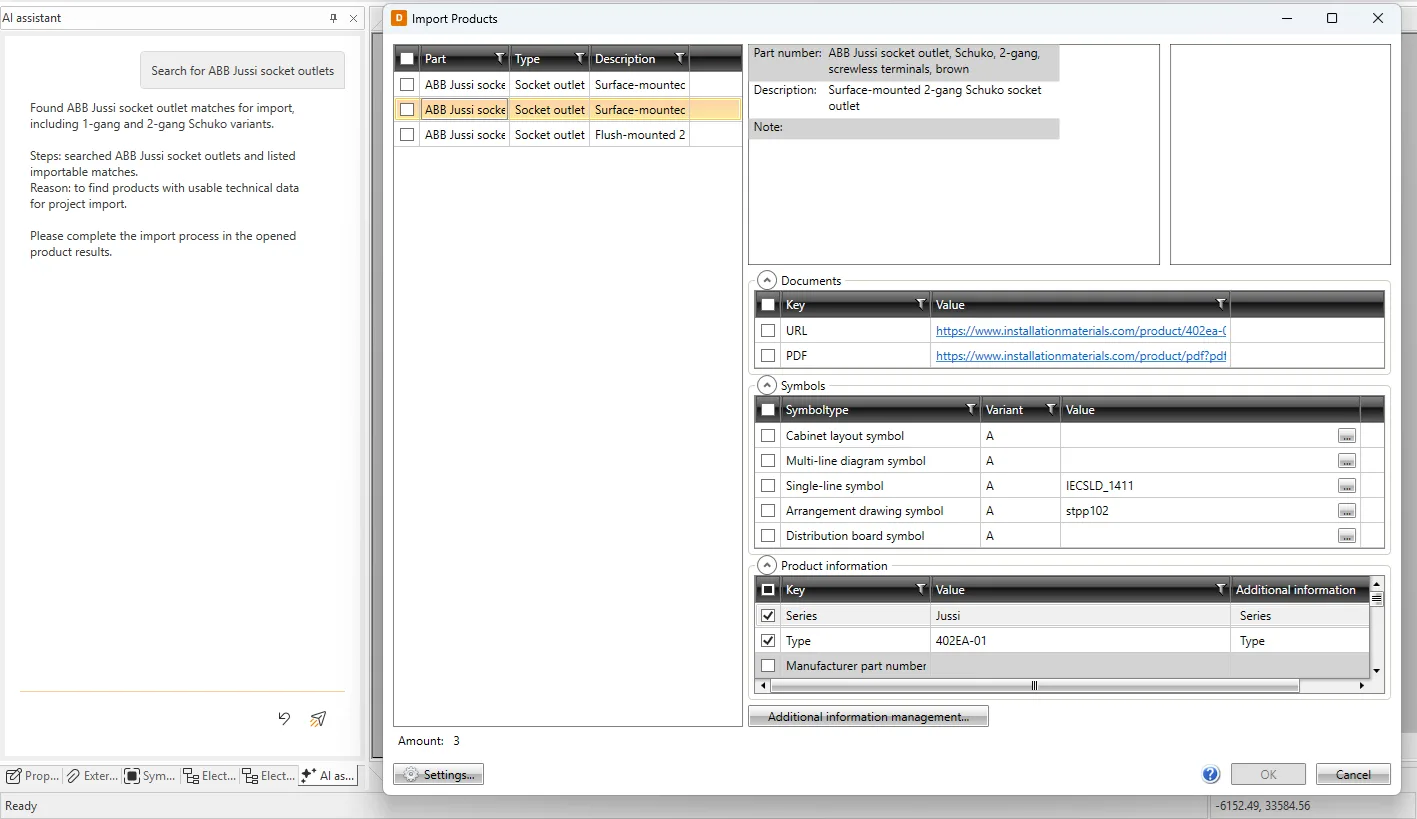
When you give the product library AI assistant a manufacturer’s URL in Electrical or describe what you’re looking for, it searches the web for suitable options. Once you’ve chosen, it opens an import dialog where it maps product data into your Electrical database fields and predicts the most suitable symbol. You stay in control throughout by adjusting the mapping, swapping symbols, or using your own if that fits your standards better.
Once confirmed, the product model becomes a native Electrical object with full technical data attached. Assign existing devices to it straight away, and technical values can appear automatically as symbol attributes in your documents. It literally could not be any easier and faster!
Previously, that process lived entirely on the designer’s desk. The AI assistant moves the administrative work onto the software. Your job becomes reviewing and confirming, not transcribing. Internal testing indicates the AI assistant is 25–50% faster than building product models manually and that gap widens when you factor in the time typically spent locating and cross-referencing source data before entry even begins.
The library question has changed
Some electrical design tools come with large pre-built product libraries. Building and maintaining a library of that scale takes years, and for users who work primarily with mainstream components, a well-stocked ready-made library is genuinely useful.
But it has a ceiling. A fixed library is only as wide as whoever built it decided it should be. Components from smaller manufacturers, regional suppliers, specialist equipment, and newer products fall through the gaps, and closing those gaps means waiting for a library update that may never come.
The AI assistant takes a different approach entirely. Rather than maintaining a static catalog, it treats the manufacturer’s own web presence as the source. Any product with a page on the web is reachable. That scope is not something a pre-built library can match, because it grows automatically as manufacturers publish new products and specifications.
The practical result is that creating a product model from scratch now takes a fraction of the time it used to, and the range of products you can reach is effectively unlimited. The library question shifts from “does your software include this product?” to “does this product exist on the web?”
Translating electrical project terminology without the overhead
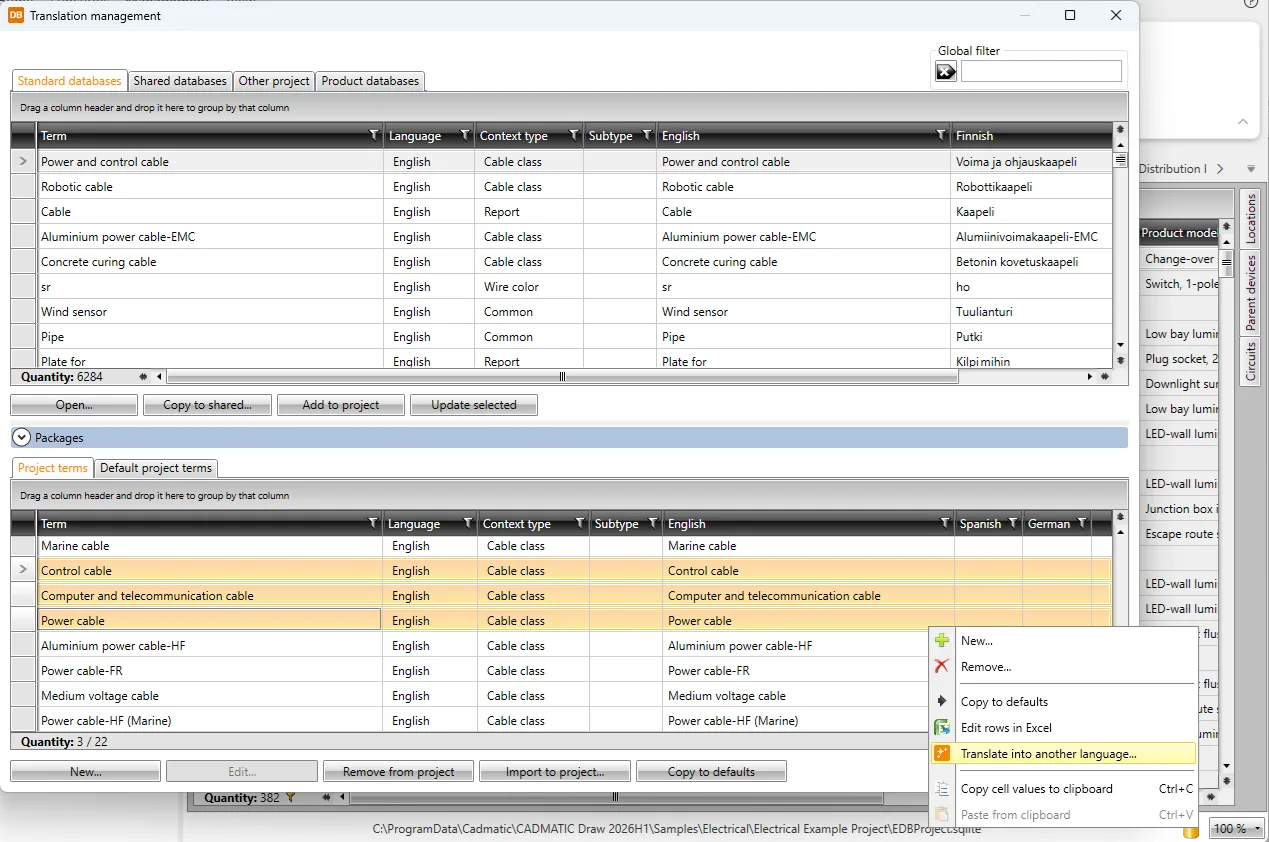
The translation feature, first introduced in 2025H2, now has AI assistance built in. You define which database fields should be translated, leaving technical and numeric values untouched. The Translation Request Table then collects all terminology from across your project into a single manageable table, where you can sort, filter, and review before running the translation.
When you do, existing entries from your terminology bank are matched automatically. The AI handles the rest, using prompts designed for the electrical domain to keep terminology consistent and contextually accurate. No external translation service is needed and there’s no risk of a generic tool mishandling technical terms.
For teams working across language environments, this turns a multi-step coordination process into something you can run and verify in one session.
See it in action
Both tools are easier to appreciate once you see them working. The video below walks through the product search and import workflow and the translation table in real time. Check it out and feel empowered.