Efficient Hull design for detailed model data to nail every details: Cadmatic Hull webinar insights
Do you work on detailed ship structures and complex vessel projects? If so, are you tired of modelling taking hours, repetitive tasks, and changes making the data drift out of sync?
In our latest webinar, “Nail every detail – efficient Hull design for detailed model data”, Clemens van Renesse, Product Manager at Cadmatic, shares how Cadmatic Hull helps engineers in shipbuilding create production-ready Hull models faster and with fewer errors.
Here are the key takeaways you’ll get from the webinar.
Build more controlled hull structures with relational modeling
Hull design involves constant changes across plates, profiles, and supporting structures. Instead of isolated geometry, engineers can work with structures that stay aligned as the design evolves by linking model elements through logical relationships.
- Define parameters and relationships to connect decks, plates, and views when needed
- Let changes propagate automatically across related structures
- Keep drawings aligned with the 3D model without manual updates
- Maintain consistency as the model grows in complexity
Reduce errors with built-in design rules
Maintaining consistency in complex hull structures can be challenging, especially when working with multiple materials, thicknesses, and profile types. Cadmatic Hull’s existing rule-based functionality helps engineers apply standards directly during modeling to:
- Define allowed material and thickness combinations based on project requirements
- Validate selections instantly during modeling
- Apply default dimensions and materials to profiles
- Reduce manual checks and avoid downstream corrections
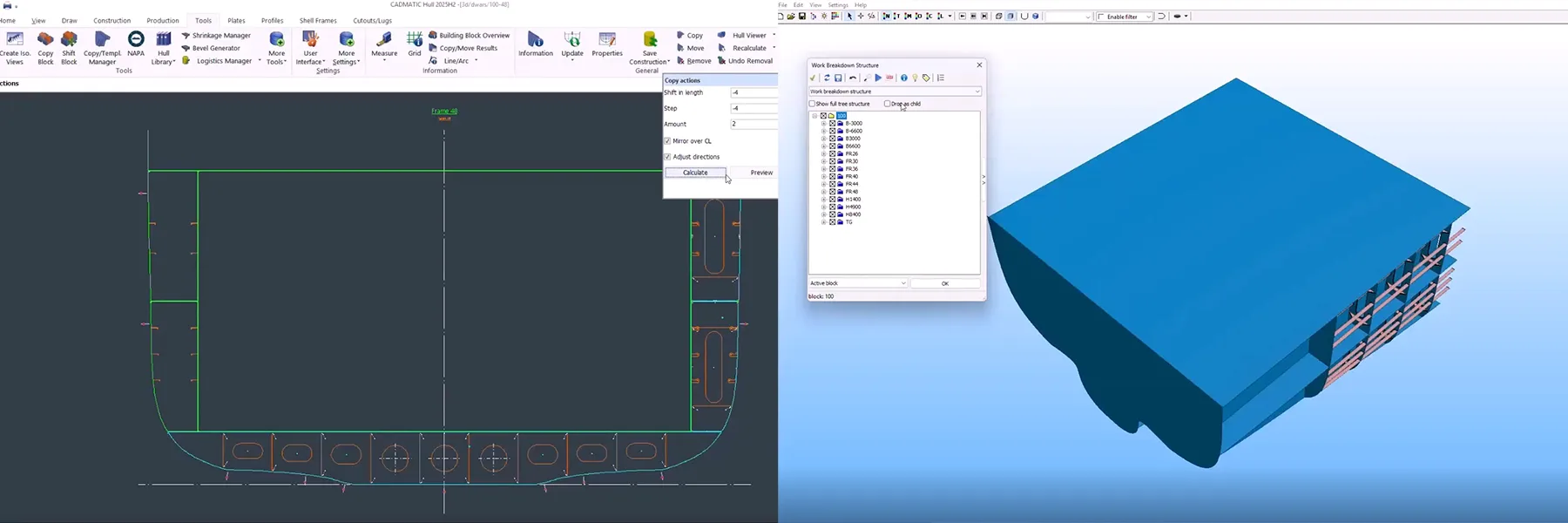
Reuse structures with controlled copy management
Repetition is common in hull design, but managing it manually increases the risk of inconsistencies. Cadmatic Hull supports structured reuse with clear relationships between elements, so teams can:
- Model a section once and reuse it across the structure
- Manage parent and child relationships with full visibility
- Adjust multiple elements at once with bulk modifications
- Keep changes controlled, traceable, and consistent
Turn legacy 2D data into structured 3D geometry
Existing design data remains valuable, but converting it into usable 3D structures can take time. This is where Cadmatic Hull allows engineers to bring legacy data into a modern modeling workflow:
- Import DXF or line drawings directly into the model
- Define relationships between imported elements
- Generate structured 3D plates from 2D geometry
- Reuse past design work without rebuilding from scratch
Generate production-ready weld and assembly data
Detailed hull models must support fabrication with clear and traceable data. Cadmatic Hull handles welds and assemblies directly within the same structured model, so teams can:
- Automatically generate welds based on structural relations
- Visualize weld lines and bevel data in 3D
- Define custom attributes for production requirements
- Create weld reports and traceability documentation directly from the model
Keep all data aligned in one structured model
As projects scale, maintaining consistency across engineering and production becomes critical. With Cadmatic Hull all relevant data stays connected and accessible, allowing engineers to:
- Generate 3D geometry and related data simultaneously
- Avoid duplicate datasets and manual data handling
- Maintain a single source of truth for engineering and production
- Keep reports and documentation aligned with the latest model state
Because all information originates from the same model, reports and documentation always reflect the latest engineering data. The result is a structured data source for design, engineering, and production teams.
Interested?
Watch the webinar recording here.