Turning detailed hull models into production-ready output
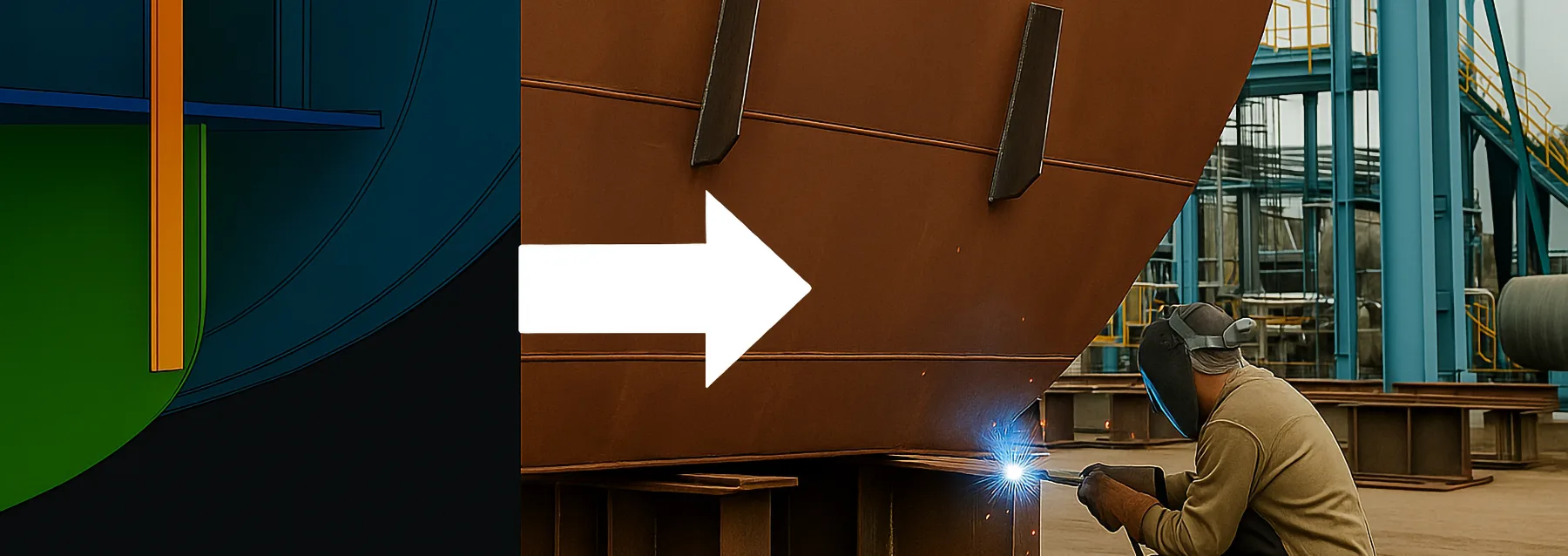
In shipbuilding, every hour saved on the shop floor counts. As vessels become more complex and project timelines tighten, the link between design and production needs to be both accurate and immediate.
That’s why the latest developments in Cadmatic Hull focus on turning detailed design into production-ready output faster, with fewer manual steps and clearer visual support. From insulation placement to hull markings and automatic generation of 3D images on PDFs to visualize yard and assembly locations, the improvements are practical, production-aware, and ready to make a difference where it matters most.
Seeing is building – hull markings that support smarter fabrication
Knowing where to place a part is just as important as what to place. Cadmatic’s Hull Marking Tool makes this clearer by automatically marking hull plates based on outfitting components – such as equipment or supports – that intersect with them.
Instead of relying on separate drawings or instructions, shipyard workers can now reference the markings directly from the steel. This reduces guesswork, minimizes paperwork, and helps ensure accurate installation the first time.
It’s a simple idea, but one that streamlines workflows from design to production with impressive impact.
Insulation done right from visualization to procurement
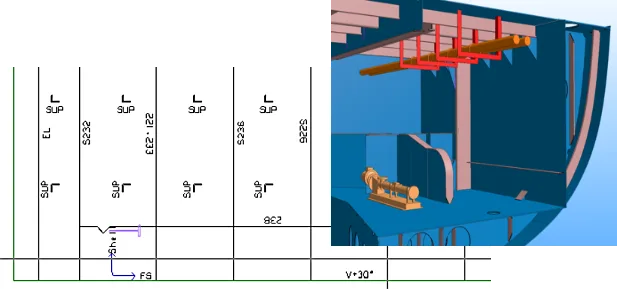
Designing and placing insulation has often been a split process between departments. Cadmatic Hull now makes it easier to bridge that gap.
Insulation materials can be modeled directly in the Hull environment and visualized alongside outfitting components. This results in a more complete picture of how insulation fits around structural elements and outputs more accurate bill-of-materials reports that combine data from both hull and outfitting.
Procurement teams can plan insulation purchases with greater confidence, and designers get more clarity around space allocation and clashes.
From 3D design to rule-based PDF visualizations
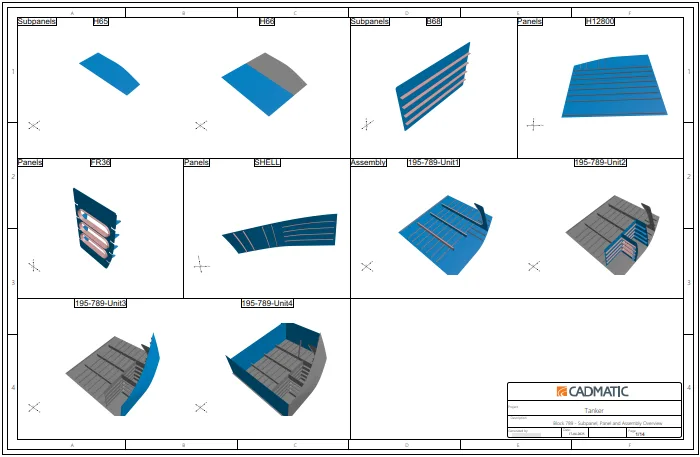
Cadmatic Hull’s 3D design environment has taken a leap forward. With the ability to generate rule-based 3D images on PDFs from within the Hull Viewer, teams can now create clear, graphical assembly overviews in just a few clicks.
These visualizations aren’t just static drawings. They reflect real model data and can highlight logistical details, color-coded elements, or specific steps in an assembly sequence.
It’s a fast, flexible way to support production planning, team discussions, or quality reviews – without needing to dive back into the design environment.
Smart defaults and cleaner coordination
Small changes can make a big difference when working at scale. That’s why recent updates to coordinate systems and default grids are designed to reduce manual input and improve consistency.
Each block in a project can now reflect its own default grid direction, including the ability to use negative and positive values for port and starboard. This improves alignment between design intent and real-world layout – especially in large assemblies with varying orientations.
Navigation in the Hull Viewer has also been modernized, offering intuitive movement, dynamic views, and easier access to geometry, which helps users get where they need to go, faster.
Production-aware design environment
From visual cues to rule-based exports, the latest updates in Cadmatic Hull focus on making the transition from model to steel as smooth as possible. The improvements are grounded in extensive knowledge of production processes and user feedback and built to serve both engineering and production.
By helping shipyards work with clearer data, cleaner visuals, and tighter integration between departments, Cadmatic Hull continues to evolve as a truly production-aware design environment.